

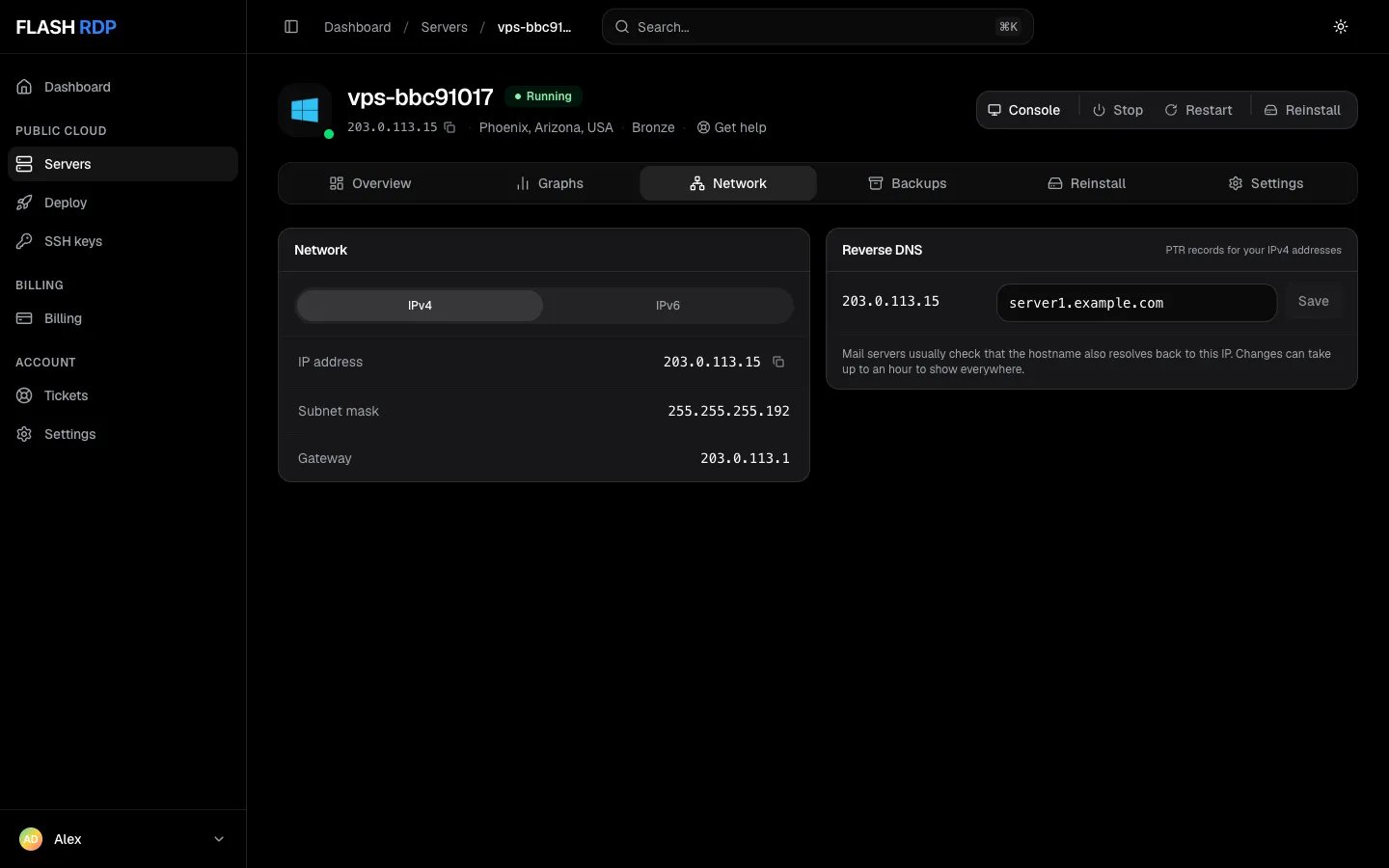
Reverse DNS on the Network tab
Set a PTR record
1
Create the forward DNS record
First, log in to your domain registrar or DNS provider (e.g., Cloudflare) and create an A Record pointing your desired hostname (e.g.,
mail.yourdomain.com) to your server’s IPv4 address. Wait a few minutes for this to propagate.2
Open your server
- Sign in to the Billing Portal.
- Click Servers in the sidebar.
- Click your server to open its management page.
3
Open the Network tab
Click the Network tab. The Reverse DNS panel lists each IPv4 address on the server with its current hostname.
4
Save the hostname
Enter the full hostname you created the A record for (for example
mail.yourdomain.com) next to the IP address and click Save. A “Reverse DNS for … saved” message confirms it. Changes can take up to an hour to show everywhere.The Overview tab also shows the current Reverse DNS under Network, with an Edit button that opens this tab.Good to know
- Reverse DNS can be set for IPv4 addresses, with a fully qualified hostname on your own domain (not
flashrdp.com). - You can make up to 20 reverse DNS changes per hour across your account.
- An address marked Managed by support can’t be edited in the portal. Open a ticket to change it.
- The portal can’t remove a PTR record or set IPv6 reverse DNS. Open a ticket for either.
- Outgoing port 25 (SMTP) is blocked by default. To send mail directly from your server, open a ticket with a short justification and we review the request.
Related Articles
Set up a mail server
Install and configure mail on your server.
Manage your server
Network details, console and graphs.